Your vision·Your people·Your plans·Your guests·Your day
Your venue, reimagined
Oracle preview
BeforeYour vision
↔
From a beautiful space……to a day that is yours.
Start with a feeling
Picture the feeling of your day.
Picture how your setting, flowers and colours could feel together.
Compare illustrative possibilities with the venue visualiser, then take a clearer direction into conversations with your creative team before committing to details.
Meet Oracle. A concept for a thoughtful planning companion, helping you make sense of ideas and explore how your choices fit together. Find clearer priorities and questions for your team, with the final choice always yours.
Illustrative styling and seasonal ideas. Oracle is a concept preview, not a promise of live flower or venue availability.
The inspiration room
Style explorer
Make your mood board come to life.
Bring your inspiration and palette into one clear direction. A shared vision makes supplier conversations easier and leaves less room for second-guessing.
Layer soft foliage, gathered flowers and candlelight. Start with one focal point, then let the room breathe.
People who bring it to life
Category explorer
Find people who understand your vision.
See which professionals your day may need, then begin better conversations about your vision, date and practical details. A clearer brief helps you build a team who can bring it together.
Your flowers
More than a bouquet.
Talk through your palette, key arrangements, seasonal alternatives and the feeling you want your flowers to create.
Keep menu notes, dietary questions and favourites together.
Explore categories and sample planning tools. No vendor listings, quotes or bookings are made on this preview.
From yes to the last dance
Beautifully organised. Entirely your own.
One calm place for the details. More space for the moments.
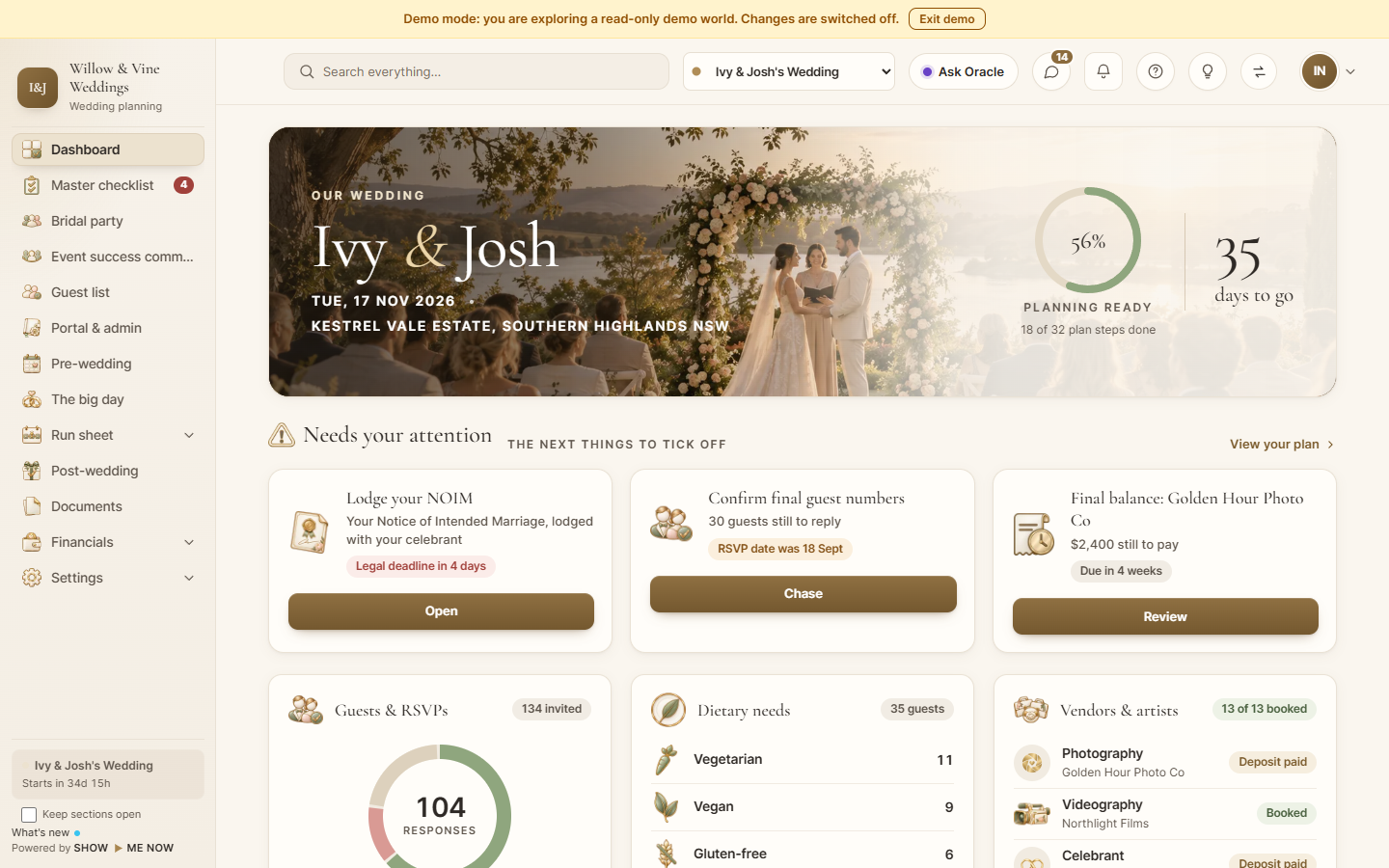
Couple dashboard preview
Your plans. All in one place.
Keep the months of planning in one place, from your first ideas to the final dance. Checklists, guests, budget, supplier details, decisions and timing come together in a shared wedding workspace.
See what you have committed, what is already paid and what is still to pay. With upcoming payments in view, you can weigh your priorities and make the next decision with confidence.
Know what needs your attention next
See your budget alongside your priorities, so you can decide what matters most
Not sure where to begin? Take one manageable step at a time, from your timing and guest numbers to your setting and priorities. Leave with a personal brief and a clearer starting point for your next conversation.
◇ Your brief stays on this device until you choose to share it.
A guided preview. No account, booking or enquiry is created. Saving to this browser is optional.
TOGETHER WITH OUR FAMILIESAlex & JamieA DAY TO REMEMBERSample names · decorative QR
An invitation that feels like you.
Set a beautiful first impression with digital or print-ready invitations that reflect your day. Keep the practical details and digital RSVP journey together, so guests know where to go and how to respond.
A seat for everyone
Good company. Considered connections.
1Family
2Friends
3Friends
4Family
Know who is coming, with fewer scattered replies to piece together. Bring guest groups, meal choices and access needs into one considered plan, so you can focus on welcoming everyone.
When the day arrives
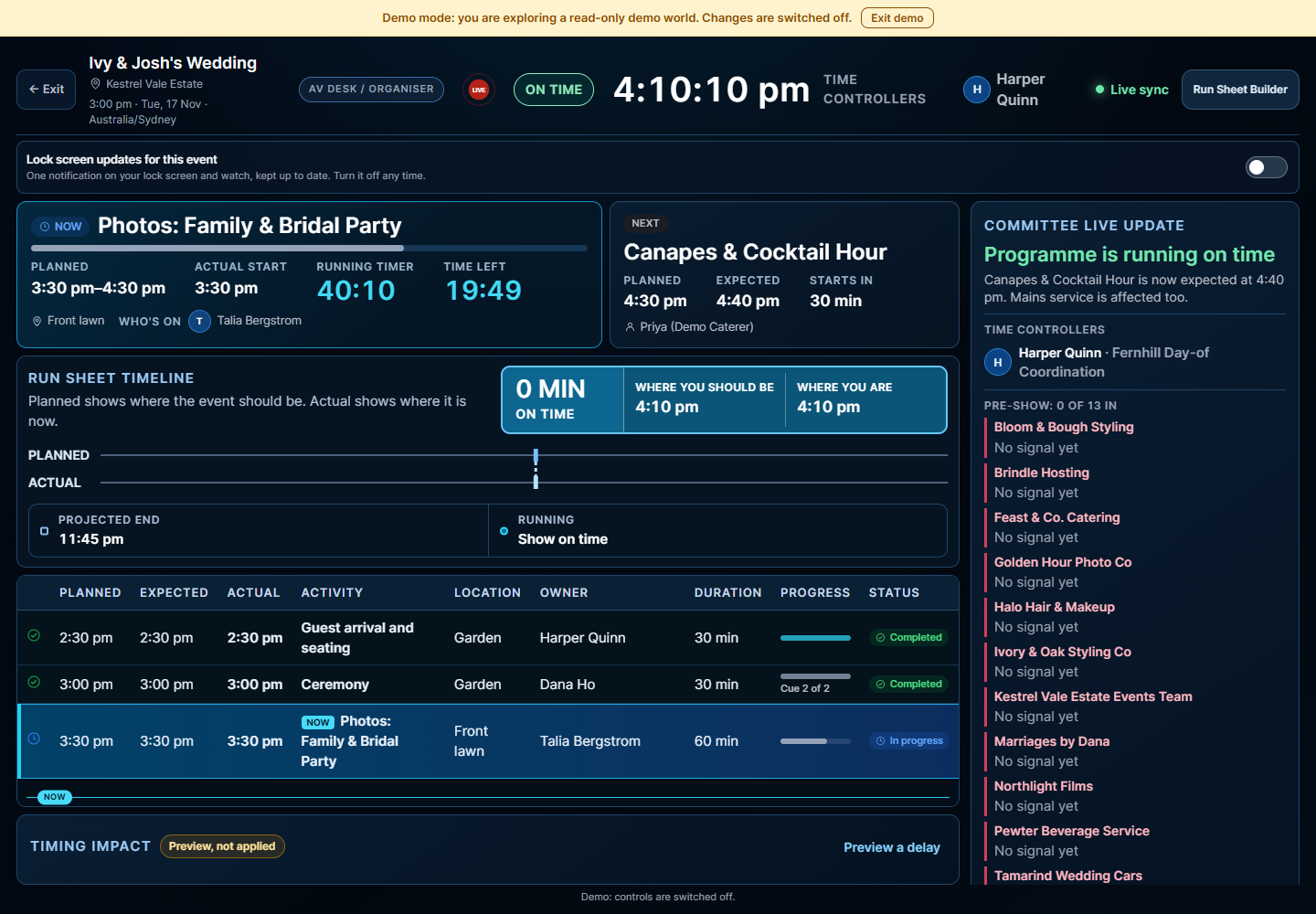
Optional live run sheet
Let your favourite people enjoy the day, too.
A shared wedding timeline, with everyone working from the same plan.
The optional live run sheet is an extra for managing the whole day. It shows what is happening now, what comes next and who is needed, helping your venue, suppliers and wedding party stay together as plans change.
Keep the ceremony, meals, speeches and final dance connected
Give your team a clear view of timings and responsibilities
Let your best man and maid of honour join the celebration, with fewer coordination questions to field
What you can explore here, what belongs to the app, and how your wedding brief is handled.
Can I make a brief without an account?
Yes. The four-step guided brief runs in this page. It does not create an account or send your answers to a server.
Can I save or download my answers?
Use Save on this device to store a copy in your browser. You can also download a text file or print it. Clear saved brief removes the browser copy. These are explicit choices.
What is a live run sheet?
A shared wedding timeline showing what is happening now, what comes next and who is needed. It helps the people delivering your wedding work from the same plan as timings change, from the ceremony to the final dance.
Yes. The optional live run sheet helps your team manage the whole wedding day. It supports the people coordinating the celebration and gives your best man, maid of honour and wedding party a clear view of when they are needed, with fewer timing questions to field.
Can planning stay together across the months?
The wedding planning experience brings checklists, guests, budget, supplier details, decisions and timing into one workspace. Planners can keep each couple’s details together and hand over a clear plan to their team. Explore the separate sample dashboard; the guided brief on this website is a starting point rather than a full planning workspace.
The vendor sections are conversation guides. They do not list or endorse businesses, send quote requests or report real-time availability.
Where do I sign up as a couple or planner?
The registration buttons open the separate app. Dedicated couple and planner intent links are awaiting release confirmation. This website does not create an account on your behalf.
How much does Ezy Wed cost?
The pricing page checks the platform's current public offer. We do not publish fixed prices or plan names here. Confirm access and conditions in the app.



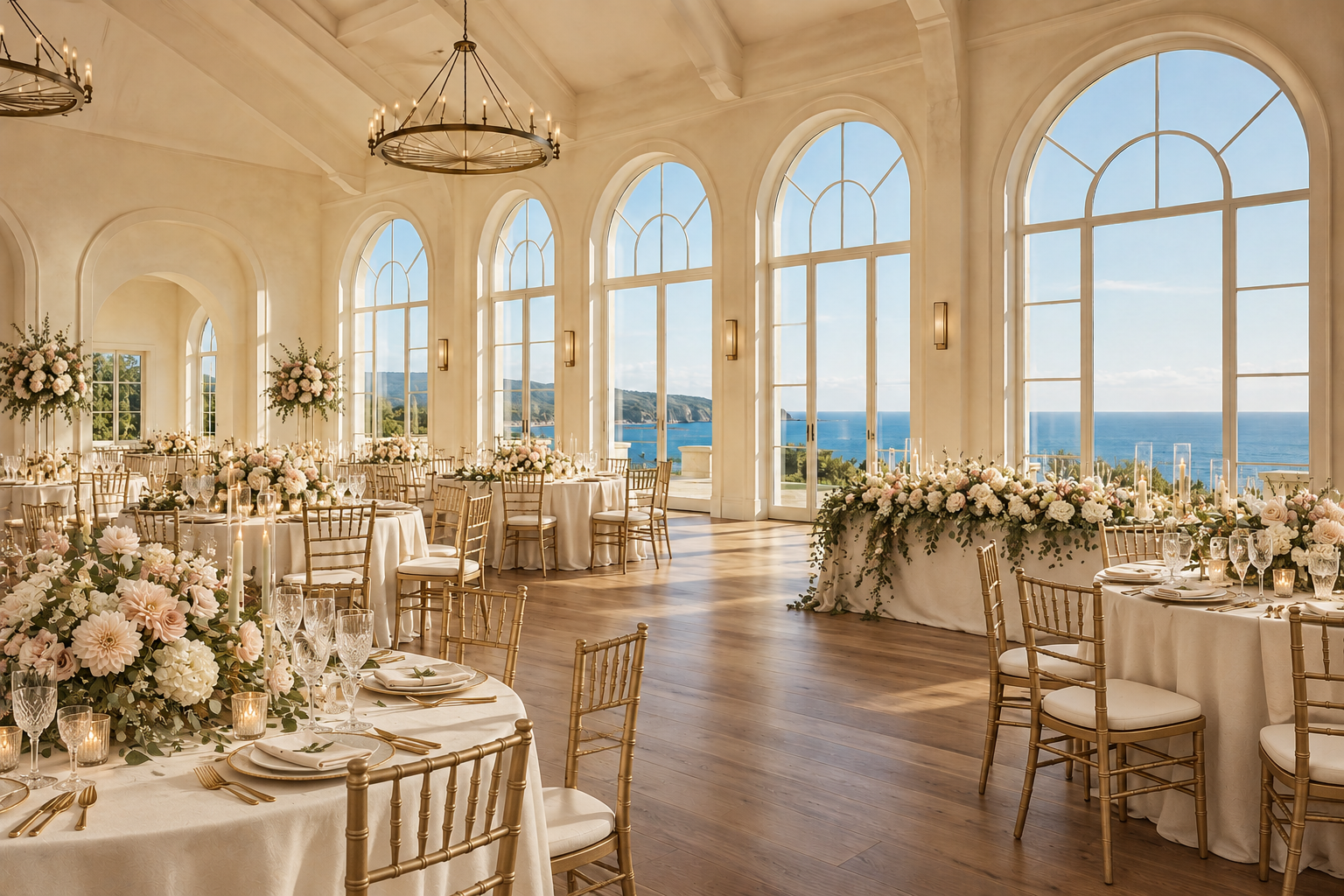 Garden romance · soft, natural, gathered